Views: 0 Author: Site Editor Publish Time: 2026-05-14 Origin: Site


Creating a great song requires more than just recording good performances. Once the tracking phase is complete, you are left with a collection of raw audio files that need to be blended together. This is where the magic of mixing comes in. Mixing is the process of adjusting and combining individual tracks to create a cohesive, polished final product that sounds great on any speaker system.
If you are new to music production, staring at a screen full of tracks can feel overwhelming. You might wonder how to make the vocals sit perfectly on top of the instrumental, or how to keep the bass and kick drum from clashing. Learning to mix is a vital skill that gives you complete creative control over your music. It allows you to emphasize the emotional impact of a song and fix minor recording flaws before anyone else hears them.
By mastering the fundamentals of mixing, you will transform muddy, amateur recordings into clear, punchy tracks. This guide will walk you through the essential equipment you need and provide a practical, step-by-step approach to mixing your next song.
Before you touch a single volume fader, you need to understand the hardware and software that make mixing possible. At the heart of any studio is the audio mixer. This device takes multiple audio signals, allows you to adjust their individual volumes and tones, and combines them into a single stereo output.
When building a studio, you generally choose between two main categories. A digital audio mixer processes audio signals using digital technology, offering immense flexibility, built-in effects, and the ability to save your settings. On the other hand, many purists still prefer a classic anolog mixer for its warm, natural sound and hands-on, tactile control.
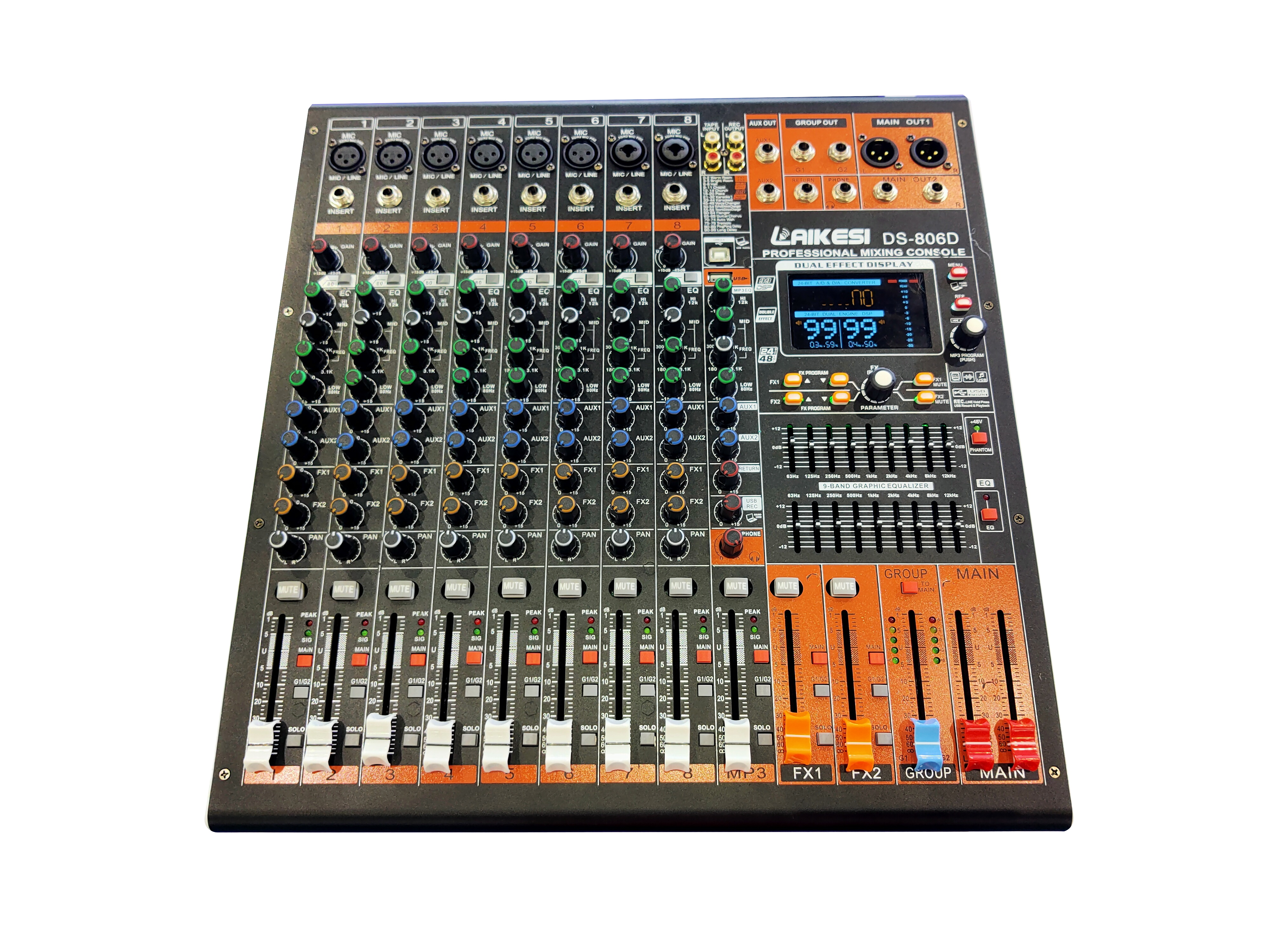
For modern home producers, an audio mixer for pc is highly recommended. These devices interface directly with your computer via a USB connection, allowing you to route audio into your recording software seamlessly. A dedicated USB audio mixer, such as the LAIKESI XENYX/1832-USB, bridges the gap between hardware control and computer-based recording, giving you the best of both worlds.
Selecting the right equipment depends entirely on your specific needs, budget, and space. Whether you are recording a solo acoustic act or a full rock band, having the proper channel count and power output is crucial.
Below is a breakdown of common mixer configurations to help you decide what fits your setup:
Mixer Type | Best Used For | Key Features | Example Setup |
|---|---|---|---|
8channels audio mixer | Small bands, home studios, podcasters. | Compact size, enough inputs for a drum kit or multiple vocalists. | A basic home recording desk using an 8-channel interface. |
Professional audio mixer | Large recording studios, live music venues, touring bands. | High channel count (up to 32+), advanced routing, built-in digital effects (DSP). | LAIKESI GT series (e.g., GT-2404FX) with precise EQ and phantom power. |
Power mixer | Live sound setups, portable PA systems, rehearsal spaces. | Combines a mixing console and a power amplifier into one unit. | Connecting passive speakers directly without a separate amp. |
USB audio mixer | Computer-based producers, streamers, home recordists. | Direct computer connectivity, easy integration with digital audio workstations. | LAIKESI XENYX series for direct PC recording and playback. |
If you are setting up a live performance space rather than a recording studio, you might look into an amplifier mixer or a mixer with amplifier. These units, commonly referred to as a power mixer, eliminate the need to buy and carry a standalone power amplifier. You simply plug your microphones in, connect your passive speakers directly to the back of the board, and you are ready to perform.
Once you have your equipment sorted, it is time to start mixing. While every song is unique, following a structured workflow will help you achieve consistent, professional results.
Start by organizing your session. Color-code your tracks and group similar instruments together. Put all your drum tracks in one folder, your guitars in another, and your vocals at the top. This visual organization saves time and reduces frustration.
Next, pull all your volume faders all the way down. Slowly push them up one by one, starting with the most important elements of the song, which is usually the lead vocal and the rhythm section. Create a basic static mix where you can hear every instrument clearly without any processing. Getting the volume balance right is the most critical part of the entire process.
If every instrument plays straight down the middle, your mix will sound cluttered and narrow. Panning allows you to move sounds from left to right across the stereo field. Keep your low-end instruments, like the kick drum and bass guitar, dead center. Lead vocals should also stay in the center to anchor the track.
Spread other elements out to create width. You can pan electric guitars hard left and hard right. Keyboards, background vocals, and percussion can sit somewhere in between. Giving each instrument its own space in the stereo field prevents them from fighting for the listener's attention.
Equalization (EQ) lets you adjust the frequency balance of individual tracks. Use an EQ to cut out unwanted muddiness in the low frequencies and boost the high frequencies to add clarity. For example, rolling off the low end on a vocal track prevents it from clashing with the bass guitar.
Compression controls the dynamic range of an audio signal. It makes the loud parts quieter and the quiet parts louder, resulting in a more consistent volume level. Apply compression to smooth out a dynamic vocal performance or to give a snare drum more punch. Use these tools subtly, as over-compressing can drain the life out of a song.
With a solid, balanced, and clear foundation, you can start adding spatial effects. Reverb and delay create a sense of physical space, making dry studio recordings sound like they were performed in a real room or a massive concert hall.
Send your lead vocal to a subtle plate reverb to make it sound natural, or use a long delay on a guitar solo for a dramatic echo effect. Professional units, like those found in the LAIKESI KS series or GT series, often feature built-in DSP digital effects, providing hundreds of high-quality reverb and delay presets right at your fingertips.
Mixing audio is an ongoing learning process that requires patience and a critical ear. By understanding how to balance volume, create stereo width, and apply EQ and compression effectively, you will see a massive improvement in your music productions.
Take the time to experiment with different tools, from a compact USB audio mixer to a full-scale professional audio mixer, to find the workflow that suits you best. Listen to your favorite songs on different speaker systems and analyze how the professionals place their instruments. Apply those lessons to your own tracks, and soon you will be mixing audio that stands out and captivates your audience.